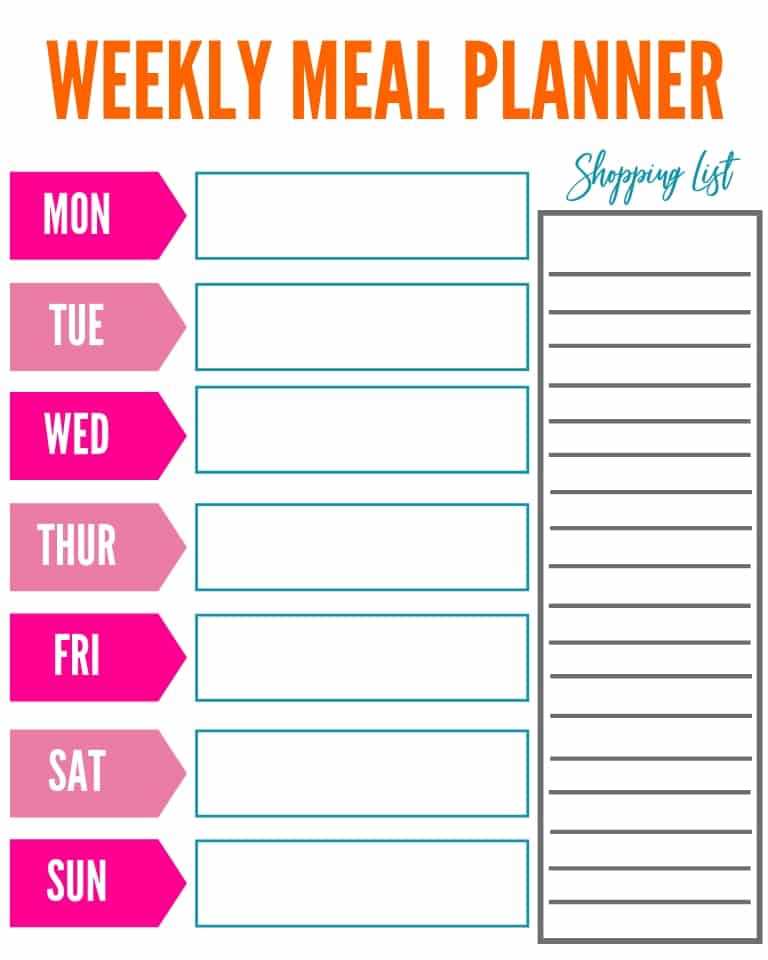
To streamline your kitchen routine, start by using a structured layout to organize your dishes for the week. A well-organized sheet will help you save time by planning each day’s meals in advance, making grocery shopping easier and preventing last-minute cooking stress.
Choose a design that allows space for breakfast, lunch, dinner, and even snacks. This way, you can plan all meals in one place, ensuring a balanced variety throughout the week. Having separate sections for each day of the week helps you visualize your meals and makes it simpler to track what you need to prepare.
Once you’ve found the right format, print it out and start filling it in. Include your favorite recipes, check for items you already have in your pantry, and note any new dishes you’d like to try. This method will make grocery shopping more efficient and ensure you always have the ingredients you need.
Using this approach is perfect for busy individuals, families, or anyone looking to maintain a consistent routine. It helps in avoiding repeated meals and ensures that you are eating a variety of foods, keeping the whole family excited for mealtime.
Printable Meal Planner Templates
Start by selecting a structured format that suits your needs for organizing daily dishes. Many designs feature columns for each day of the week, allowing you to plan your breakfast, lunch, dinner, and snacks. This setup provides a clear overview of your eating schedule and ensures balanced options throughout the week.
When choosing a format, consider whether you need space for specific nutritional information or grocery lists. Some layouts include additional areas where you can jot down ingredients for each dish, making it easier to prepare your shopping list. By keeping everything in one place, you can reduce the likelihood of forgetting items during your grocery run.
If you’re looking for more variety, go for a weekly spread that allows for both flexibility and structure. This can include sections for daily meals and snacks, as well as a space to note any special dietary needs, such as low-carb or vegetarian options. Some even allow room to add a “special treat” for the week, keeping mealtime exciting and fun.
Once you have selected your desired format, print it out and begin filling it in with your planned dishes. Take note of the recipes you’d like to try, and make sure to incorporate a mix of proteins, vegetables, and whole grains. By planning meals ahead, you can avoid the temptation of fast food or unhealthy options during busy days.
For families or group settings, using a format that includes columns for multiple people can help ensure everyone’s preferences are considered. With designated spots for each person’s meal choices, you can plan meals that suit different tastes without creating chaos in the kitchen.
One effective strategy is to plan meals in batches. Choose a few key dishes that can be prepared in larger quantities and eaten throughout the week. This approach saves time and reduces food waste. Many templates have sections that allow you to note which ingredients you’ll need in bulk, streamlining your shopping process.
Once you’ve filled in your template, use the provided grocery list space to outline the ingredients needed for the entire week. By grouping items by category–such as vegetables, dairy, and proteins–you’ll make your shopping experience quicker and more efficient. This will also help ensure you don’t buy unnecessary items.
As your week progresses, feel free to adjust the schedule as needed. Having a visual guide will remind you of what’s planned, but if something comes up, you can easily swap meals around. This flexibility makes it easier to stay on track, even on the busiest days.
How to Download and Customize Meal Planner Templates
First, find a reliable website that offers downloadable designs. Many online platforms provide free and paid options, allowing you to browse through various formats. Choose the one that best suits your needs, whether it’s a simple weekly schedule or one with extra sections for grocery lists and dietary notes.
Once you’ve selected a design, click the download button to save the file to your computer or mobile device. Most templates come in PDF format, which ensures the layout remains intact when printed. If the file is in another format, such as Word or Excel, you can easily open and modify it as needed.
After downloading, open the file using the appropriate software. For PDFs, you can use Adobe Reader or any other PDF viewer to make basic customizations, like adding text or changing font styles. If you’re using a Word or Excel file, you’ll have more flexibility to adjust the layout, add extra columns, or even change the design elements to better fit your style.
Customizing the template allows you to tailor it to your specific needs. You can add extra sections for snacks, beverages, or even time slots for meal prep. If you follow a particular diet, consider adding custom fields for calorie counts, macros, or food allergies. Some templates also allow you to color-code sections for easier organization.
After making any adjustments, print the sheet or save it to your device for future use. Some people prefer to print multiple copies at once for a full month of planning or to keep a stock of pre-filled templates. This helps streamline the process and ensures you don’t have to go through the customization every week.
Finally, save your customized version in a cloud storage or on your device for quick access. If you often make changes or need a fresh template, saving your customized file allows you to adjust it as needed and print new versions whenever you like without starting from scratch.