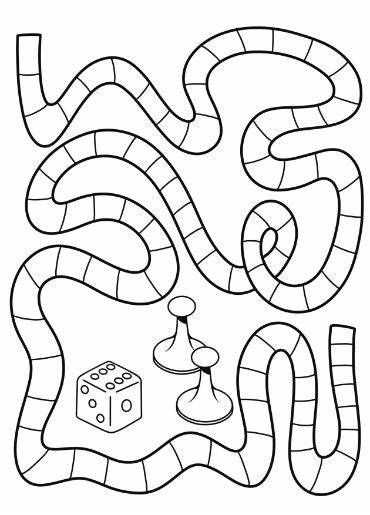
Start with a reliable layout for your playing surface. Ensure it’s large enough for the pieces to move around without crowding. For example, a 16×16 grid gives enough space for traditional mechanics while keeping the design compact. This dimension can be adjusted based on your preferences, but it’s a safe starting point.
Next, pay attention to the type of interactions you want to support. A straightforward path, with clearly marked starting and finishing points, works well for turn-based activities. Alternatively, you could integrate challenges, rewards, or decision points along the way. Use symmetry in your design to create a balanced structure, whether that’s linear or circular.
Don’t forget the importance of clear visual markers. For example, different colored squares can denote various actions, such as “move forward,” “skip a turn,” or “choose a challenge.” It’s also helpful to keep the design visually appealing, but not overwhelming. A clean, minimalist approach often works best to guide players through the experience without distraction.
Finally, consider the printing options. Make sure the resolution is high enough to capture all details without pixelation, especially for small text or intricate icons. Using high-quality paper or card stock will enhance durability, so your design lasts longer and withstands frequent handling. Once completed, your creation is ready for use and can be customized for various occasions or themes.
Customizable Template for Interactive Play Designs
For those designing their own play experiences, creating a versatile layout is the first step. A blank grid with evenly spaced squares is a simple yet effective base for most setups. Start by selecting a grid size that matches the complexity you want–larger grids accommodate more intricate rules, while smaller grids keep the action focused and fast-paced.
The layout of paths or spaces can be tailored to suit a wide variety of themes. Whether you’re imagining a race or an adventure, use curved or angled lines to connect different zones. Consider adding multiple routes with varying lengths to introduce strategic choices, increasing replayability. Try experimenting with multiple intersecting paths to raise the challenge.
Include spaces with specific purposes to add unique elements. For example, certain squares might trigger events or actions, like drawing a card, losing turns, or moving ahead. Label these sections clearly, ensuring the rules are easily understood. Also, using symbols or color coding can be a helpful way to distinguish between different types of spaces without overwhelming the design.
- Use visual indicators such as icons for special spaces (e.g., arrows, question marks, stars) to quickly communicate their effects.
- Choose a bold font or large numbers for easy readability from a distance, especially in group settings.
- For a dynamic feel, keep the center section of the layout open for customizable pieces like tokens or figurines.
When planning interactions between players, think about turn order and how actions unfold. Clear divisions between different areas, such as “Start,” “Finish,” and intermediate spaces, help players anticipate the next steps. A well-placed checkpoint or milestone can keep the pace engaging and ensure players have a sense of progress.
Finally, leave room for additional components, such as cards, tokens, or dice, that might influence the outcomes. A balanced template includes spaces for cards or custom accessories, allowing flexibility without overcrowding the design. Keep everything modular, so you can make quick adjustments for different types of play, ensuring long-term enjoyment.
How to Customize a Printable Game Design for Your Own Activity
Adjust the layout first to fit your desired size and space. Many resources offer default dimensions, but altering these to suit your specific needs can make your project more adaptable to various settings. If you’re working with a standard letter-size sheet (8.5″x11″), ensure that the margins and key elements are proportionally adjusted.
Next, rethink the visual structure. Replace generic icons, text, or symbols with ones that represent your activity. Utilize your brand’s color scheme or select hues that match the theme of your event or concept. For a polished touch, you can employ vector editing software to customize shapes and images, making everything look cohesive.
For the rules section, tailor the instructions by clarifying language and updating examples. Consider simplifying or elaborating on certain actions depending on the complexity of the activity. If the original design uses abstract terms, replace them with ones that are more aligned with your target audience’s understanding.
Pay attention to the layout’s flow. Does the path or sequence of steps need to be modified? Feel free to add branching options, new obstacles, or different interaction points that align with your vision. Make sure everything is visually connected and easy to follow, especially if the design includes moving parts or choices.
If your version involves multiple players or teams, incorporate distinct sections or spaces for tracking points, progress, or other metrics. Tables or scoring grids are an easy way to modify the structure. This helps keep the activity organized and ensures participants stay engaged.
Consider adding extra features like personalized spaces or spaces for custom events. This can add a unique element to the design and offer a sense of individuality. For example, you might want to create a space where players can write their names, create challenges, or introduce new rules on the fly.
Finally, experiment with the print quality. Make sure the text is legible, and any images are crisp. After printing a test version, assess how it holds up during use. If you notice wear and tear on certain elements, adjust the materials or thickness for durability, especially for elements that will be handled frequently.