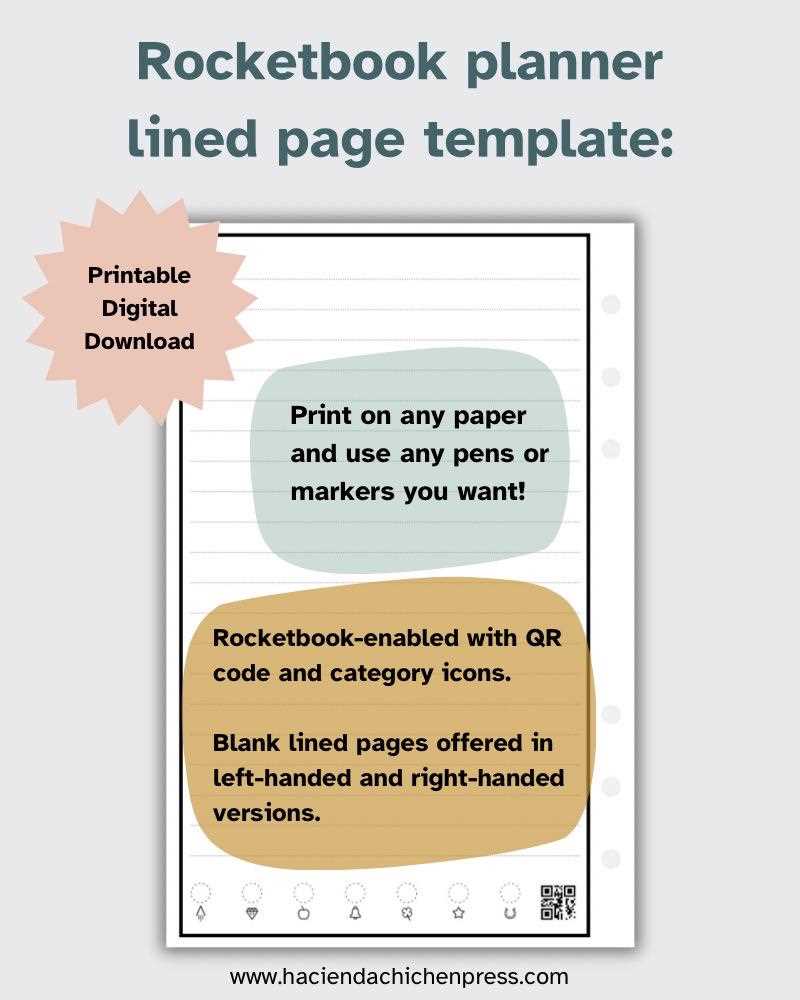
To get the most out of your reusable notebooks, start by using customizable digital layouts that fit your needs. These templates can be easily downloaded and printed for repeated use. By opting for pages designed specifically for these notebooks, you can enhance your note-taking and organization efforts, ensuring that your notes remain clear and accessible. Whether you are jotting down quick ideas, making lists, or outlining projects, these ready-to-print templates simplify the process.
Using pre-designed digital templates allows you to personalize your experience without the need for constant manual reformatting. Templates for different purposes, such as lined sheets, to-do lists, and grid pages, are widely available and can easily be customized to suit specific tasks. Additionally, when printed on the appropriate material, these sheets ensure that your notes are both functional and environmentally friendly. Simply download, print, and reuse as necessary to maintain a smooth workflow without the waste of paper.
One of the key advantages of using these templates is that you can digitize your notes with minimal effort. After writing on your printed sheets, you can scan or photograph your work, storing it in cloud-based apps or other digital platforms for later reference. This combination of physical and digital storage provides easy access to your notes wherever you need them, blending traditional writing with modern technology seamlessly.
Guide to Using Reusable Notebook Templates
Start by selecting the right digital layout for your reusable notebook. Choose templates that align with your needs, such as lined sheets, blank grids, or calendars. These templates are often available for immediate download, making it simple to add structure to your notebook without creating designs from scratch.
Once you have your preferred layouts, print them on compatible pages that allow for easy erasing. Make sure to check the specifications of your notebook to ensure the paper type and thickness match the requirements for your reusable writing tool. This ensures that the ink will not bleed or smudge, maintaining a clean and organized workspace.
If you need to customize the layout, many digital files are editable. Software like Adobe Acrobat or Google Docs allows you to adjust text boxes, colors, or even add personal designs. This flexibility gives you the freedom to create unique templates that suit your workflow or aesthetic preferences.
After printing, place the new sheets into your reusable notebook and start using them for your notes, sketches, or plans. One of the main advantages of these types of notebooks is that they allow for repeated use, so you can keep your system flexible and dynamic, adjusting to new tasks or projects as they come.
When you’re finished with your work, use a damp cloth to wipe away any writing. Be sure to clean the page gently to avoid damaging the surface or ink. With proper care, you can reuse these sheets multiple times, making them both environmentally friendly and cost-effective in the long run.
For long-term storage, you can scan or photograph your notes and upload them to cloud services or other storage solutions. This allows you to keep a digital archive of your notes, offering easy access from anywhere and the ability to search through past work whenever needed.
If you want to maintain the integrity of your templates, make sure to print them on the highest quality paper available for your specific notebook. The durability of the paper helps prevent wear and tear from frequent erasing, keeping your pages looking fresh throughout numerous uses.
By using digital templates, you can customize your notebook’s layout to fit any project, task, or personal preference. The process of printing, writing, and erasing creates a seamless workflow that enhances productivity while keeping physical clutter to a minimum.
How to Download and Print Reusable Writing Templates
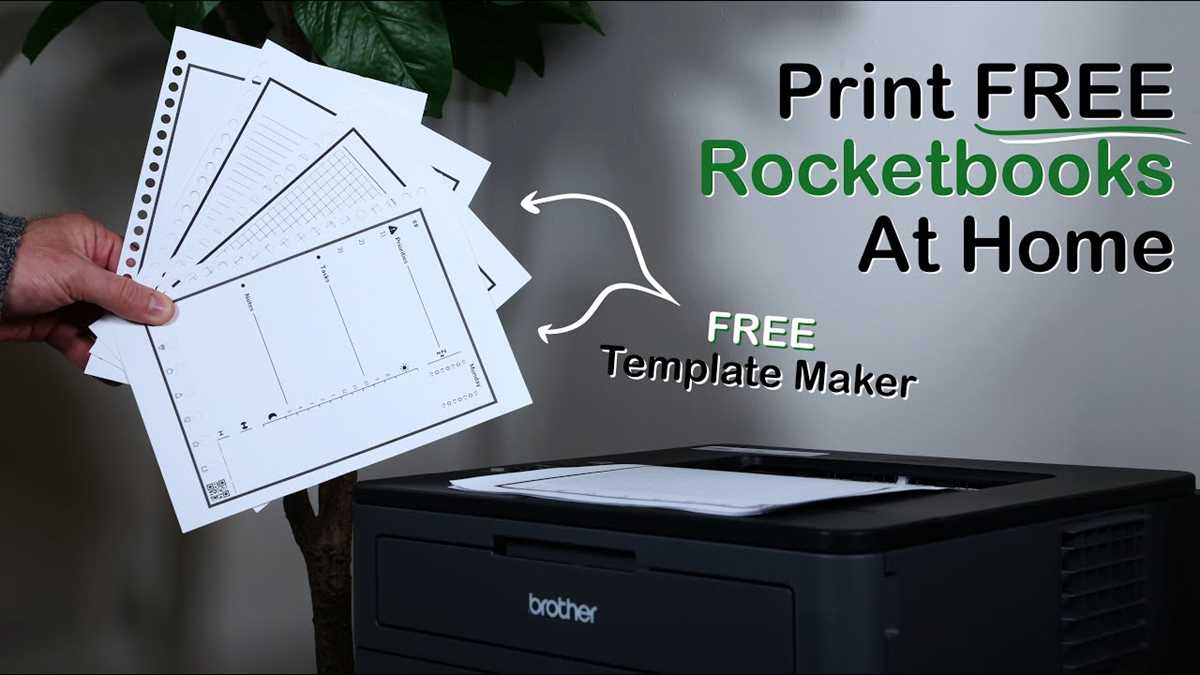
Start by visiting a reliable source offering reusable template files. You can find these templates on official websites or third-party platforms that specialize in digital note-taking solutions. Ensure that the template files are compatible with your specific notebook or writing system.
Once you have selected a template, choose the format that best suits your printer. Most sites offer downloadable files in PDF format, which is ideal for printing. After downloading the file, open it in a PDF viewer like Adobe Acrobat, or use any other application that supports the file format.
Check the template’s dimensions to make sure it will fit correctly into your reusable notebook. If necessary, adjust the print settings in your PDF viewer or printing software. Many printers allow you to scale the document, so you can either shrink or enlarge the design to fit your needs.
Next, choose high-quality paper for printing. Some templates are designed to be printed on specific types of paper, such as letter-sized or A4 sheets. The right paper will help prevent ink from bleeding or fading when writing, ensuring the durability of your templates for long-term use.
After printing, cut the sheets if required. Some templates come in standard sizes, but if you prefer custom dimensions, use a paper cutter or scissors to trim the edges. Be sure to measure and mark the paper to ensure accuracy before cutting.
Once the pages are ready, insert them into your reusable notebook. Ensure the templates fit securely and are aligned correctly with the notebook’s binding. You may need to adjust the placement of the sheets slightly if your notebook has unique dimensions.
To clean your notebook after use, simply wipe the pages with a damp cloth to remove any ink. The advantage of reusable templates is that they allow for repeated use, saving both time and resources, as you don’t have to print new sheets for every task.
For long-term storage, consider saving your templates digitally. This way, you can always print new pages as needed, without having to search for the files again. Keep a backup on cloud storage or an external hard drive for convenience and access anytime.