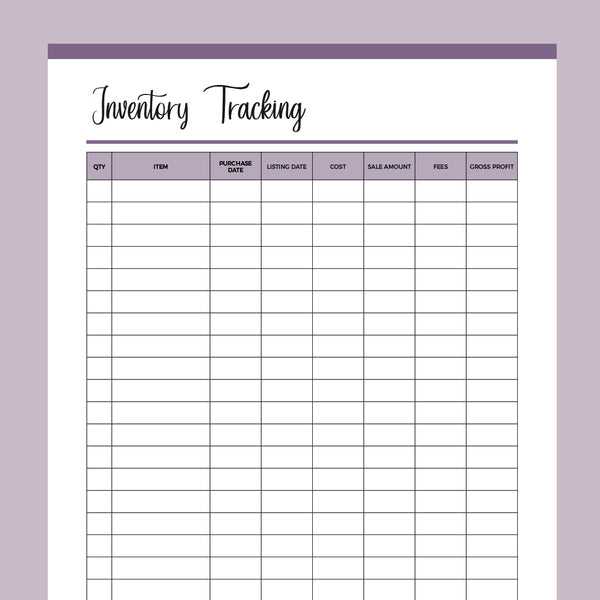
If you’re looking to stay on top of your belongings or stock, a well-organized list can make all the difference. Begin by creating a straightforward document where you can note down the name, quantity, and condition of each item. This approach works for both personal and business use, ensuring you never lose track of important possessions or materials.
Design your sheet to include columns for key details such as item description, location, and date of last update. This allows you to keep everything in one place, reducing confusion when it’s time to assess or reorder supplies. Tailor this list to fit your specific needs, whether you are managing home goods, office supplies, or inventory for a small business.
Incorporate features like checkboxes or color coding to help highlight items that need attention or restocking. A clear, organized layout will help you quickly scan and find what you need, saving you time and effort in the long run. Regular updates are important to maintain accuracy, so set aside time weekly or monthly to review and update your tracker.
How to Set Up an Efficient Stock Tracking System
Create a structured document with rows for each item you need to monitor. Include columns for details such as item name, quantity, purchase date, and location. This setup allows for clear tracking and makes updates simple. When it’s time to reorder or check stock, you’ll know exactly where each product is located and how much is left.
For added organization, separate items by category. Group similar products together so you can view and update them easily. For example, if you’re managing office supplies, create sections for pens, paper, and folders. This will prevent confusion and ensure you maintain a balanced stock without over-purchasing or missing crucial items.
Incorporating a column for “restock date” can help you plan ahead and avoid running low on key items. Additionally, periodically review and update your list to reflect any changes. This system will save you time in the long run, providing clarity and control over your materials and supplies.
How to Customize a Simple Inventory Template for Your Needs
Start by identifying the specific data you need to track. If you are managing stock, include columns for item name, quantity, price, and supplier information. For personal use, you might add categories like location or condition of each item. Be clear about the purpose so you can adjust the structure accordingly.
Consider using drop-down lists or checkboxes for consistency. This will help avoid data entry errors and maintain uniformity. For instance, if you’re tracking status, options like “In Stock” or “Out of Stock” can be easily selected without needing to type in responses.
If your needs change, regularly update the list by adding new columns or categories. For example, if you start tracking expiration dates or warranties, simply create new sections that fit your workflow. Being flexible ensures the document remains useful as your situation evolves.
Adding a column for notes can help track additional information such as product details or reorder reminders. This is especially helpful for items that require special care or have specific handling instructions. Use this space to capture important details not covered in the basic categories.
Finally, remember to review and test the layout. Print a few copies to see how well the design works in practice. Adjust margins, font size, or column width if necessary to improve readability. Customizing your document ensures it’s functional and tailored to your unique tracking needs.