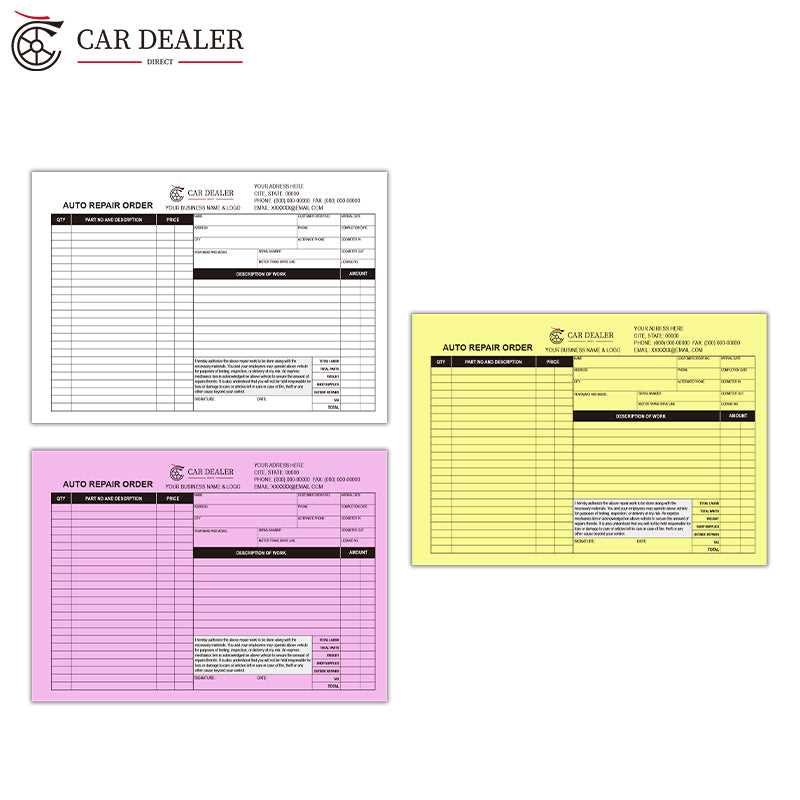
Begin by including key fields that outline customer details, vehicle information, and the services requested. The more specific these sections are, the easier it will be for the technician to understand the tasks ahead. A clear format prevents confusion and ensures that no steps are missed during the repair process.
Include a section for estimated costs and timeframes to set clear expectations. This will help manage customer queries and minimize misunderstandings later on. For best results, tailor the template to different types of repairs or maintenance, providing room for additional notes or special instructions from the customer.
Organize the document for easy tracking. A simple numbering system for each task allows technicians to follow along without skipping any steps. Additionally, create a space for signing off once a repair is completed, helping you keep records and monitor job progress effectively.
Steps to Design a Service Request Template
First, gather all necessary information fields. Include customer details, vehicle identification, and the nature of the issue. This ensures that the technician knows exactly what to expect before beginning any repairs. Keep this section simple, with clear labels and enough space for customers to provide accurate information.
Create a task list section where specific repair or maintenance activities can be outlined. This will allow you to track individual tasks and monitor the progress. Include options for marking each task as complete, adding notes, and even noting if any additional parts or services are needed. A well-organized list streamlines the process.
Include a space for estimated costs and labor. This prevents misunderstandings later on, ensuring both parties are clear about the expected price. Make sure there’s room for tax calculations, parts, and any unexpected costs that may arise. Transparent pricing helps build trust with customers.
- Field for customer name, contact, and vehicle details
- Task list for repairs, diagnostics, and maintenance activities
- Cost and labor estimates section
- Completion sign-off area for technician and customer confirmation
Lastly, add a section for both technician and customer signatures. This final step confirms that all work has been completed as agreed, and provides both parties with a record of the transaction. Make sure this is easy to access and complete, and keep copies for your records.
How to Use a Work Order Template to Improve Workflow
Begin by incorporating a standardized format for each job. This helps streamline the intake process, making it easier to assign tasks, track progress, and identify what materials are required. A uniform template reduces errors and ensures that no key details are missed at any stage of the process.
Use the template to allocate resources efficiently. Include sections for part numbers, labor hours, and any special tools needed for a repair. This enables technicians to quickly identify and gather everything required before starting a task. Proper resource management helps to avoid delays and unnecessary downtime.
Track task completion with checkboxes. As each repair task is finished, the technician can mark it off. This creates an easy-to-follow system, allowing both technicians and managers to quickly see how the job is progressing. It also helps to highlight any tasks that are taking longer than expected, which can be addressed promptly.
Provide a space for customer feedback. After completing each job, ask the customer to review the service. This feedback loop provides valuable insights into performance, allowing you to adjust processes where necessary. Additionally, satisfied customers are more likely to return, contributing to long-term business growth.
Incorporate time and cost estimates in the template. By outlining expected labor and material costs, you set clear expectations for both employees and customers. Tracking these metrics over time will also help identify patterns, such as areas where you consistently go over budget or where certain repairs take longer than anticipated.
- Resource allocation for parts and tools
- Task completion tracking with checkboxes
- Customer feedback section for service improvement
- Time and cost tracking for better forecasting
Finally, use the completed forms for record-keeping. By maintaining detailed documentation for each service provided, you can analyze trends and make data-driven decisions about pricing, staffing, and inventory management. Well-organized records also serve as a reference for future repairs, ensuring continuity and accuracy across services.