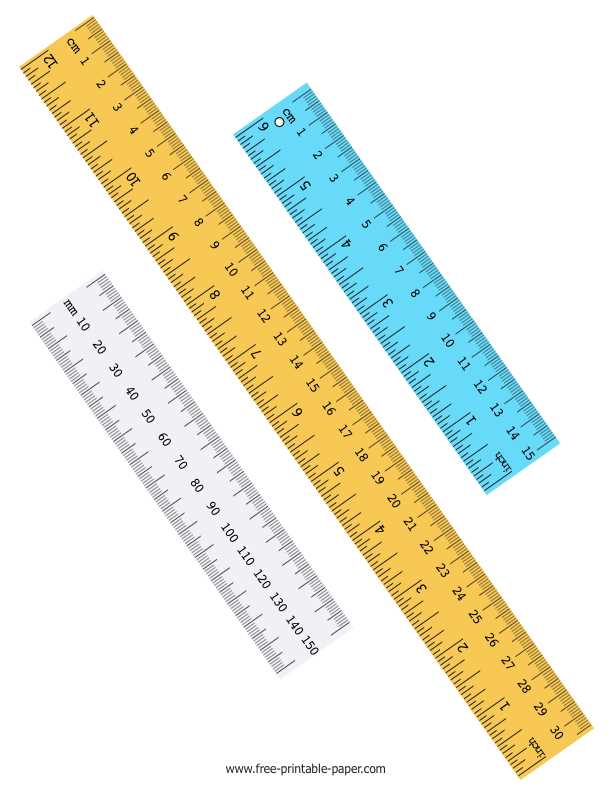
If you need a quick and accurate tool for measurements, consider printing your own ruler at home. This allows you to avoid waiting for a physical ruler and ensures you get an exact fit for your project. When printing, make sure your design is correctly scaled to avoid measurement errors. Use a high-quality printer for precise output, and double-check the scale before using it.
Choose paper that is sturdy enough to maintain shape during use, such as thicker printer paper or cardstock. This helps prevent distortion over time, ensuring your measurements remain reliable. Be mindful of print settings, especially the scaling options, as any discrepancies in these can lead to inaccuracies in the final product.
Before using your homemade measuring tool, compare it with a standard ruler to confirm its accuracy. Small deviations can happen, but a simple check can save you from potential mistakes down the line. Keep in mind that while this method is convenient, it’s not a substitute for a professional measuring instrument when absolute precision is needed.
Metric Printable Ruler Guide
To create an accurate measuring tool at home, begin by selecting a reliable template from a trusted source. A well-designed file ensures proper scaling and prevents errors. Avoid low-quality images or files that might stretch when printed. The template should include precise, clearly marked measurements in millimeters and centimeters, with no gaps or distortions.
Check your printer settings before you start printing. Set your printer to 100% scale and turn off any automatic resizing or fit-to-page options. If these settings are incorrect, the printed tool may not match the real-world measurements. Always print a test page to verify accuracy before using it on important tasks.
Use a high-quality paper such as card stock or thicker paper. Thin paper tends to bend easily and can lead to inaccurate readings. A sturdy sheet will hold its shape better and provide a more reliable tool. Cutting it out neatly is also crucial–uneven edges can throw off measurements.
Once the tool is printed, cut it out carefully using a sharp pair of scissors or a craft knife. Ensure the lines are crisp and even, as jagged edges will lead to errors in measuring. If necessary, use a metal ruler to guide your cuts for more precision.
Before using the tool for measurements, compare it against a known, accurate measuring instrument, like a steel ruler or a professional measuring tape. Lay the printed tool flat on the surface, aligning it with the other ruler to confirm its accuracy. This step ensures your homemade guide is working as expected.
While using your custom measuring tool, apply light pressure when marking measurements. Excessive force can cause the paper to distort, leading to inaccurate readings. If you need to measure larger or smaller items, consider printing multiple copies in different sizes to cover various needs.
If you plan to reuse the tool multiple times, laminate it for added durability. This protects the paper from wear and tear, ensuring your measurements remain accurate over time. Laminating will also make it easier to clean after each use.
Finally, remember that homemade measuring tools are great for everyday tasks, but for professional or high-precision needs, always rely on a certified, calibrated instrument. These custom guides are perfect for quick, small-scale projects but should not replace high-quality measuring equipment for technical or industrial use.
How to Print and Scale a Metric Ruler for Accurate Use
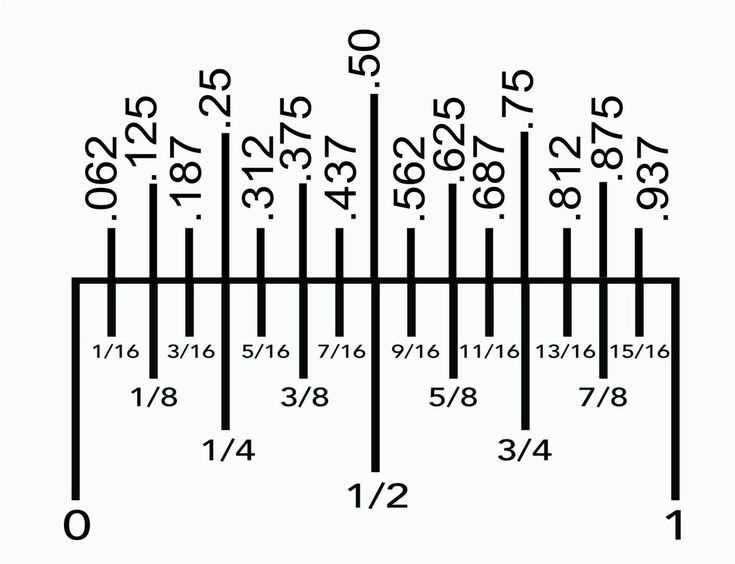
Start by downloading a high-quality template that clearly displays the measurements you need. Make sure the file is designed with the correct scaling, as even small variations can cause inaccurate readings. Check that the template includes a full-length scale, not just sections or partial measurements.
Before printing, adjust your printer settings to ensure that the output is at 100% scale. Turn off any “fit to page” options or automatic resizing features, as these can distort the dimensions of your measuring guide. Double-check the paper size and orientation, setting it to match the template’s requirements.
Use a high-resolution printer for sharper lines and clear markings. If the lines are blurred or uneven, it could affect your measurements. Consider printing the template in draft mode first on regular paper to verify the layout before using higher-quality paper.
Print the template onto sturdy paper or cardstock for durability. Thin paper is prone to tearing and warping, especially if exposed to moisture or frequent handling. A thicker sheet will give the measuring tool more longevity and reduce the chance of distortion when measuring objects.
After printing, cut out the tool carefully using a sharp pair of scissors or a craft knife. For cleaner edges, use a metal ruler to guide your cuts. Make sure the ends of your printed measurements are straight and precise, as any uneven edges can cause inaccuracies.
To verify the accuracy of the printout, compare it with a certified measuring instrument. Lay the printed template alongside a standard ruler or tape measure, and check the alignment of the scale. This quick check ensures that your measurements will be accurate before you begin using the tool.
If you plan to use the guide regularly, laminate it for added durability. This protects the paper from wear and tear and ensures that the scale remains intact. Laminating also makes the tool easier to clean and maintain, especially if it will be exposed to dirt or moisture.
Finally, remember that a printed tool is best used for everyday tasks, not for precision work where exact measurements are required. While it offers a quick and convenient solution, always rely on professional-grade instruments for critical applications where accuracy is paramount.