
Download a high-resolution PDF of the national banner of the Argentine Republic at 300 DPI and print it on A4 or US Letter paper for sharp details and accurate proportions. Use a 3:2 width-to-height ratio and keep margins at 0.5 inches to avoid trimming the sky blue and white horizontal bands.
Select heavy matte paper between 120–200 gsm for classroom displays or event decorations. For small handouts, scale the design to 50–70% and arrange two or four copies per sheet through your printer settings. Choose “Actual Size” instead of “Fit to Page” to preserve the correct layout.
Ensure the central Sun of May emblem remains centered and crisp by enabling high-quality color mode and disabling ink-saving options. For outdoor use, laminate the sheet with 80–125 micron pouches to protect against moisture and fading while keeping colors clear and balanced.
Argentina Flag Printable
Use a 3:2 aspect ratio file at 300 DPI to reproduce the national banner of the Argentine Republic with accurate proportions and sharp detail. Set your document size to 210 × 140 mm for A5 or 297 × 198 mm for A4 while keeping the horizontal sky blue–white–sky blue layout intact.
Select color mode CMYK with light blue close to C:30 M:0 Y:0 K:0 and a pure white center band without tint. Keep the Sun of May emblem centered with a diameter equal to roughly 0.3 of the total height to match official design references.
Choose matte paper between 120 and 160 gsm for classroom walls and 200–250 gsm cardstock for hand-held signs. For double-sided sheets, enable duplex printing with short-edge binding so the stripes align correctly when flipped vertically.
Disable scaling options such as “Fit” or “Shrink to Printable Area” in the printer dialog. Use “Actual Size” and set margins manually to 5–10 mm to prevent cropping of the top and bottom blue bands.
For small desk copies, place four reduced versions on one Letter sheet at 50% scale and cut with a rotary trimmer for straight edges. Keep spacing at least 10 mm between each copy to allow clean trimming.
Laminate finished sheets with 80–125 micron pouches for outdoor events, school celebrations, or sports matches. Store flat in a dry folder to prevent curling and color shift over time.
Where to Download High Resolution Argentina Flag Printable Files
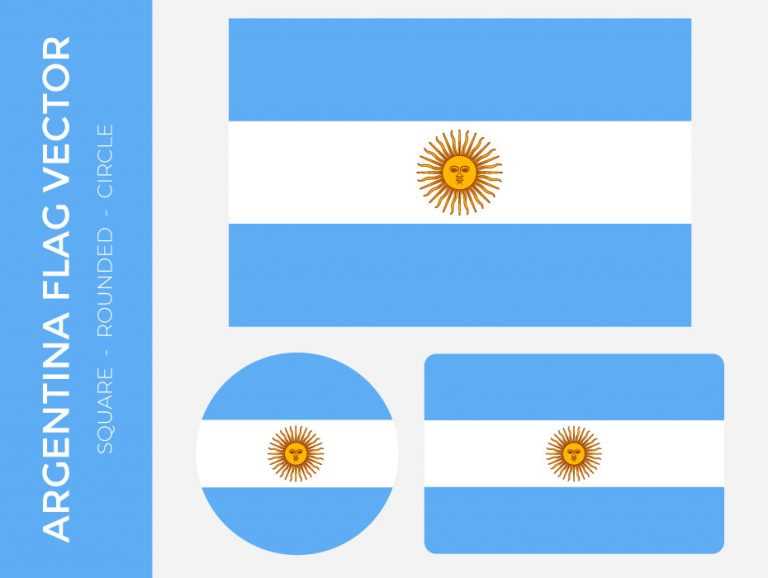
Download the national banner artwork from official government or educational portals that provide vector formats such as SVG, EPS, or PDF at 300–600 DPI to maintain sharp edges and correct proportions.
Use the website of the Argentine Republic’s Ministry of Interior or other state resources that publish public domain national symbols. Look for files labeled with exact dimensions in a 3:2 ratio and with the Sun of May centered precisely on the white stripe.
Choose vector files instead of JPEG images whenever possible. SVG or EPS formats allow scaling from small handouts to large posters without pixelation, while raster images should be at least 3500 pixels wide for A3 output.
Check educational repositories and university resource pages that host downloadable classroom materials. Many provide PDF sheets formatted for A4 and US Letter with preset margins and accurate sky blue tones.
Avoid low-resolution images from random blogs or compressed previews from search engines. Files under 1 MB are often reduced in quality and may distort the light blue bands or blur the central emblem.
Verify color accuracy by comparing RGB values close to 116-172-223 for the blue stripes. If the source includes CMYK data, confirm that cyan dominates while magenta and yellow remain near zero for a clean hue.
Before downloading, preview the file at 100% zoom to inspect line clarity around the sun’s rays and facial details. Jagged edges indicate raster scaling rather than original vector artwork.
Store the final file in a dedicated folder with the original version unchanged and create separate resized copies for school projects, event signage, or decorative displays to prevent accidental quality loss.