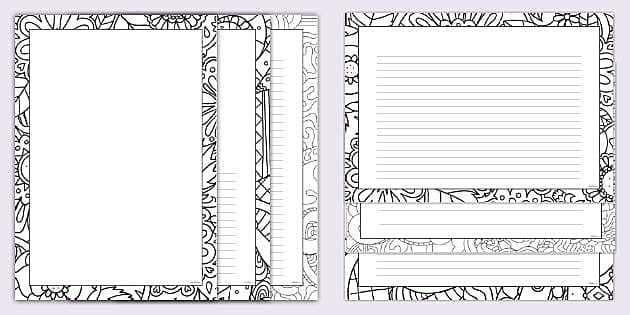
Start by selecting a design that complements the purpose of your project. Simple, clean lines work well for official certificates, while ornate, intricate designs can add flair to invitations or greeting cards. Choose a style that aligns with your theme to create a cohesive look.
Next, make sure the size fits your requirements. For smaller prints, opt for narrower edges to maintain focus on the content. Larger designs benefit from wider frames that balance the layout and provide an elegant touch. Be mindful of the spacing to prevent overcrowding.
For optimal results, use a high-quality printer and adjust your settings to match the dimensions of the layout. Select a thicker sheet to enhance the texture, especially when creating projects that will be handled frequently. Test your design before printing the final version to ensure everything looks sharp and professional.
How to Use Decorative Edges in Your Creative Projects
Start by choosing a design that fits the purpose of your task. If you need formal stationery, select clean, simple edges that enhance the professional look. For creative works such as scrapbooking or party invitations, choose more intricate patterns that add flair.
When selecting a design, keep in mind the dimensions of the item you intend to decorate. Smaller prints work well with minimalistic frames, while larger projects can benefit from more elaborate designs that draw attention without overwhelming the content.
Once you’ve selected the right layout, it’s time to adjust the settings on your printer. Ensure that the margins align properly with the design and that your paper is correctly loaded. Testing your print settings can prevent misalignment and save you from wasting materials.
For the best results, use a high-quality sheet that complements the design’s weight and texture. Heavier stock will give the piece a more luxurious feel, while lighter sheets work well for casual or temporary projects. You can experiment with glossy, matte, or textured finishes depending on the desired look.
- Choose a thickness that matches the project type.
- Use a smooth finish for a professional appearance.
- Experiment with color options to add personality.
If you want to personalize the design further, consider adjusting the color scheme or adding additional graphic elements. You can incorporate logos, images, or personalized messages to match the theme or tone of your project. This will make the final result feel unique and tailored to your needs.
Finally, make sure to review the printout before finalizing your project. Check for any alignment issues or color inconsistencies. A test print can help you spot potential problems before committing to the final version, ensuring a polished and professional result every time.
How to Choose the Right Border Style for Your Printable Paper
Start by considering the purpose of your project. If it’s a formal document, go for clean, simple edges, like straight lines or subtle geometric patterns. For a creative project, such as invitations or greeting cards, opt for more intricate or decorative designs like floral or vintage styles.
Next, take the size of your design into account. Narrow frames work well for smaller documents, while wider borders can enhance larger prints, giving them a balanced and refined look. Be sure to adjust the design so that it complements the content without overpowering it.
Think about the color scheme as well. A monochromatic look with a subtle hue will maintain elegance, whereas a bold, contrasting color can make a statement. Use colors that align with the theme of your project, keeping in mind the overall aesthetic you wish to achieve.
If you want to add an extra touch of sophistication, consider using patterns that incorporate texture or depth. For example, lace-like edges or embossed designs add visual interest and make the finished piece feel more luxurious.
- For formal events, go for minimalistic, clean lines.
- For fun or casual projects, explore playful or themed designs.
- Experiment with contrasting colors for a bold effect.
Finally, ensure that the border style fits well with the layout of your document. The frame should support and enhance the content without distracting from it. Preview the design on your screen or print a test version to see how the edges interact with the rest of your work.