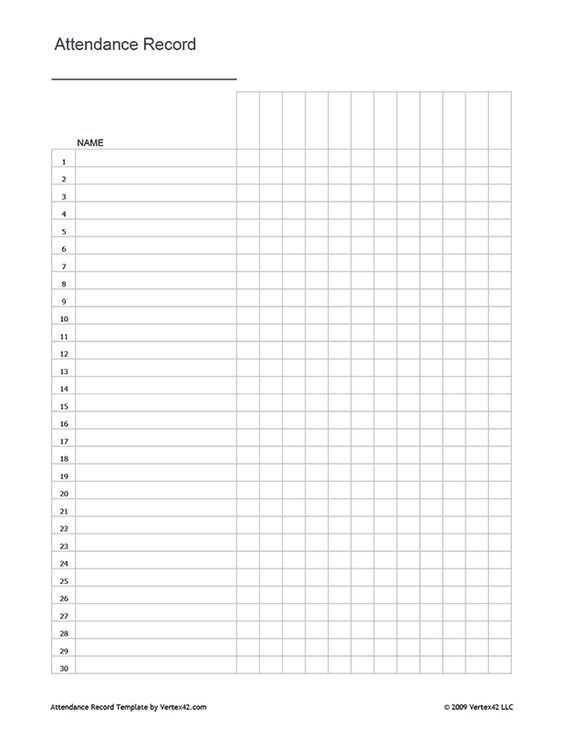
Start by designing a simple record-keeping system that allows you to track participants easily. A good format includes columns for names, dates, and checkboxes or spaces to mark presence. This layout provides clarity and makes it quick to see who was present at any given time.
Consider the frequency of use: If you’re managing attendance for a single event, a one-page format with date fields will work. For recurring sessions, create a multi-page layout that includes space for several dates. Be sure to leave room for additional notes, such as reasons for absence or tardiness.
Customize for different groups: Depending on the environment–be it a classroom, workplace, or event–adjust the categories. For example, you may want to add sections for activity or shift times. Organizing information this way ensures that your records are both practical and easily accessible.
Attendance Sheet Template for Easy Tracking and Organization
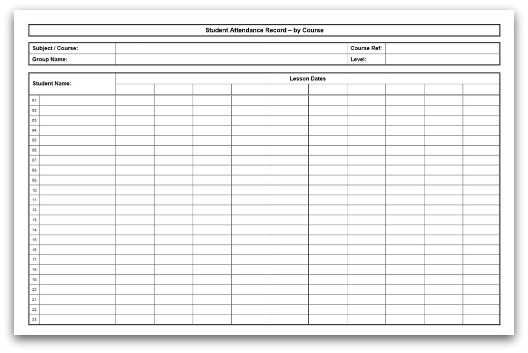
To streamline tracking of individuals in a group, start by setting up a clear layout with designated columns for names, dates, and attendance status. Use checkboxes or empty spaces to mark whether someone is present or absent. This format simplifies the process and allows you to quickly reference the data when needed.
Customize the layout for specific needs: For recurring sessions, create a table that spans multiple weeks or months. Include space for each date of the session and additional columns for remarks, such as “excused absence” or “late arrival.” Tailoring the structure to your requirements ensures the system stays practical and useful for tracking long-term attendance.
Track patterns and trends: To make the system more useful, keep an eye on regular patterns, such as frequent absences. This data can help identify underlying issues, whether it’s a recurring scheduling conflict or health-related matters. You can also add columns for specific notes, allowing you to track reasons for absence or other relevant details.
Organize by groups or classes: If you’re managing multiple groups or classes, consider using a separate section for each. Assign unique identifiers for each group to avoid confusion. This approach keeps the record organized, especially in environments with high participant numbers like classrooms or large meetings.
- Digital or paper-based formats: You can choose between a physical document or an electronic version. For more flexibility, use spreadsheet software like Excel or Google Sheets, where you can filter and search attendance records easily.
- Regular review: At the end of each month or quarter, review the data to ensure it’s accurate. This review helps you catch any inconsistencies and provides an opportunity to address any attendance issues before they become more significant.
Consistency is key when using this system. Make sure that whoever is responsible for tracking attendance follows the format regularly and updates it after each session. This habit helps maintain an accurate record and reduces errors in attendance management.
How to Create a Simple Attendance Sheet for Classroom Use
Start by designing a straightforward table that includes columns for student names, dates, and attendance status. This will allow you to easily track who is present or absent during each class. The simplest layout includes columns for the date and checkboxes or circles for marking attendance.
Include space for notes: In addition to the basic information, add a column for comments. This can be used for reasons of absence, special requests, or any other important detail that should be noted for future reference. This section is particularly useful for tracking patterns in student attendance.
Organize by periods or subjects: If your classroom has different periods or subjects, create a separate section for each. This makes it easier to track attendance for each class individually. For example, if students attend math, science, and literature, make sure each subject has its own attendance column.
Design a simple format: Keep the structure clean and easy to read. A grid with alternating rows for students and dates will make it simple for both teachers and students to follow. Ensure that each column is labeled clearly, and that the rows are evenly spaced to avoid confusion when marking attendance.
- Consider digital options: If you want to simplify data collection, consider using a spreadsheet. This allows you to easily input attendance, add additional notes, and even sort records by date or student.
- Review regularly: At the end of each week or month, take time to review the record. This can help you identify patterns, such as frequent absences, and provide insight into student engagement.
Make it visually clear: Use bold fonts, underlining, or color-coding to highlight important sections. For example, use a different color to mark holidays or school breaks so they stand out from the regular class days.
Update consistently: Ensure that you or the teacher in charge update the document after every class. This consistency will maintain accurate records and prevent confusion later on.