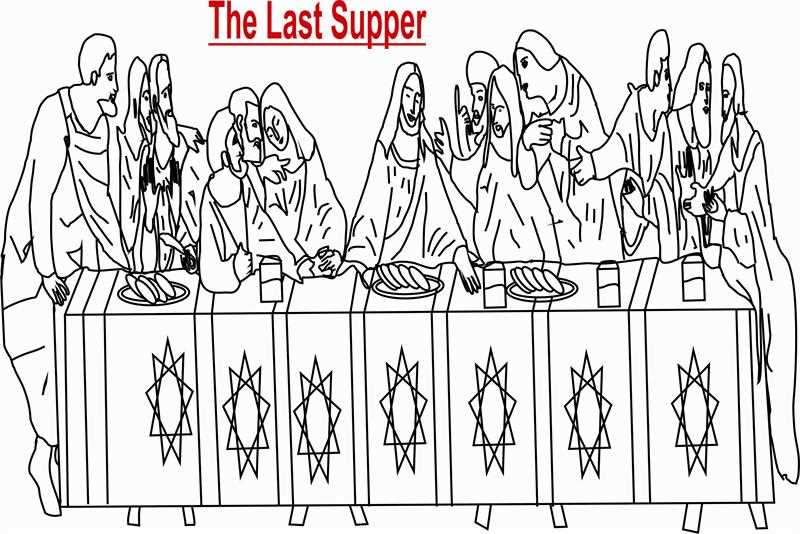
For those looking to bring a piece of classical art into their home or classroom, high-quality versions of Da Vinci’s masterpiece are widely available online. Whether you’re an art lover or educator, these visual recreations offer a fantastic opportunity to appreciate the details and grandeur of the original painting. A simple search will yield plenty of free options suitable for different projects.
To ensure your printed version captures the intricate features of the work, focus on images that come with high resolution. Choose files with a minimum of 300 DPI (dots per inch) to ensure the final print does not lose clarity. This will also allow for larger formats without compromising the sharpness of details, making it ideal for framing or as a teaching tool in art history lessons.
Once you’ve found the right image, it’s time to think about how to incorporate it into your activities. Consider using it as a base for artistic projects, where students or children can add their own flair by coloring or even recreating the scene. Another idea is to use the work as part of an educational exploration, such as a deep dive into Renaissance art techniques, symbolism, or the cultural significance of the scene.
Using Da Vinci’s Artwork for Creative Projects
Start by downloading high-quality versions of Da Vinci’s iconic piece. Ensure the file is at least 300 DPI for crisp details. You can find free versions on various educational websites or art platforms. Once downloaded, decide whether you want to print it for coloring, as a poster, or for educational purposes.
Printing on different paper types can impact the final result. For instance, use cardstock for a sturdier, more professional finish, especially if you plan to frame the print. If using it for educational purposes, standard printer paper is suitable, but make sure it’s thick enough to handle markers or light watercolor applications.
- Cardstock: Best for framing or detailed coloring projects.
- Regular Printer Paper: Ideal for temporary uses or basic educational activities.
- Glossy Paper: Perfect for vibrant displays or showcasing the original colors of the artwork.
Consider incorporating this design into art lessons. Students can practice replicating the masterpiece or focus on specific elements like the table, the figures, or the background. This allows for an in-depth exploration of perspective and human emotion as depicted in the original scene.
If you’re using the design for a home project, it works well for wall art. The classic scene fits into almost any interior style, whether you prefer a minimalist look or a more ornate setting. You can also experiment with different color schemes to give the piece a modern twist.
How to Find High-Quality Versions of Da Vinci’s Masterpiece
Start by looking for online platforms dedicated to historical art collections. Websites like Wikimedia Commons or the Louvre’s digital archives often provide high-resolution scans of famous artworks. These are typically free to access and can be downloaded without any quality loss, offering the best clarity and detail for various uses.
Another reliable source is museum websites. Many museums that hold Da Vinci’s works offer digital versions of their collections. You can often find downloadable files for personal use, such as those found on the official sites of the Uffizi Gallery or The National Gallery. These versions are curated for accurate representation, ensuring both detail and authenticity.
For a more diverse selection, explore art-focused websites and platforms like Artstor or Saatchi Art. These sites provide curated collections of high-resolution artwork that you can either purchase or download for personal, non-commercial use. When using these platforms, ensure that you check the licensing options and terms of use to avoid legal issues.
Be sure to verify the file’s resolution before downloading. A high-quality version should have a resolution of at least 300 DPI (dots per inch) for printing. This is crucial if you plan to create large prints or use the image in detailed projects, as lower-resolution files will appear pixelated or blurry when printed at bigger sizes.
Consider the file format when choosing a version to download. Files like TIFF or PNG provide the best quality since they retain image details without compression. JPEGs, while widely used, often lose some quality due to compression, so they’re best for smaller prints or web-based projects.
If you’re unsure about the quality, always preview the image before downloading. Look closely at fine details such as facial expressions and textures to ensure that the image will hold up well when printed. Checking reviews or user feedback on the site can also provide insight into the quality of the downloadable files.