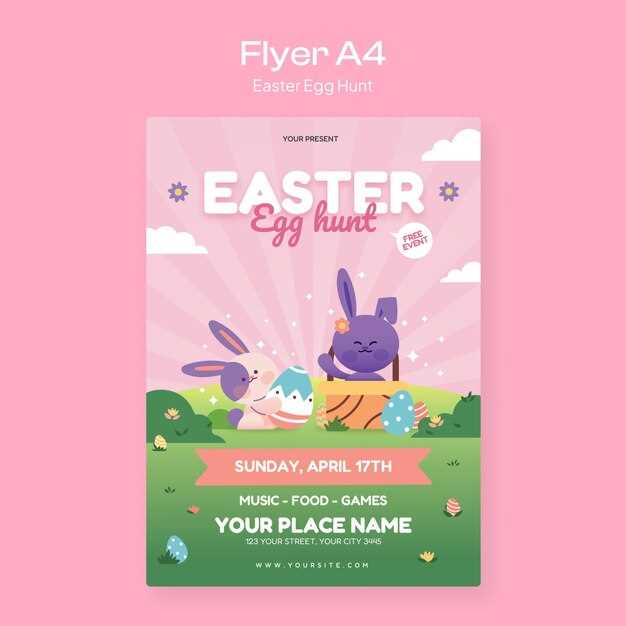
To make your next spring gathering stand out, begin with a well-designed announcement that catches the eye. Choose a layout that fits the theme of the occasion, whether it’s a community celebration or a family get-together. A clean, organized structure will ensure that the details are clear, and the event is appealing to a broad audience.
Start by selecting a color scheme that matches the season or the event’s vibe. Pastels like light pinks, yellows, and blues are perfect for a springtime atmosphere. Incorporate visuals like flowers, ribbons, or playful motifs to match the tone. Customizable designs allow you to adjust the images and text size to make the invitation pop and maintain readability.
Once the visual elements are set, focus on the wording. Keep it concise, focusing on the event’s key information: date, time, location, and any special instructions. Ensure the font is legible and balanced across the page. The invitation should make it easy for recipients to know what to expect and how to participate.
How to Customize Your Spring Celebration Invitation

Choose a design that reflects the atmosphere of your gathering. Consider soft hues and playful patterns, like flowers, baskets, or vibrant ribbons, to give a lively feel. Adjust the layout to include key information such as date, time, and location in clear, legible text. Use fonts that are easy to read at a glance while keeping the overall look balanced.
The choice of colors is vital in making your event stand out. For a spring-themed event, shades like pale pinks, lavender, or light greens will evoke freshness and joy. Keep the contrast sharp enough to highlight the event’s details but soft enough to stay pleasing to the eye. Choose complementary colors for the text and background to maintain harmony.
Incorporate fun illustrations or graphics that resonate with the occasion. You could use images like baskets, spring flowers, or even abstract designs to add charm without overwhelming the reader. Position them around the text in a way that enhances readability without cluttering the design.
Make sure your event’s key details are easy to spot. Start with the most important information at the top, such as the event name, followed by the date, time, and location. If there’s a specific action you want your audience to take–such as RSVPing–ensure that it’s prominently displayed in bold or underlined text.
To create a more personalized touch, consider adding a message or tagline that gives attendees a sense of what to expect. Phrases like “Join us for a fun-filled afternoon!” or “An event you won’t want to miss!” can generate excitement and engagement. Make sure to keep the tone friendly and inviting.
Lastly, always check that the design fits the medium through which you’re sharing it. If you’re handing out physical copies, ensure that the resolution is high enough for clear printing. If you’re sharing it online, make sure the size and format are appropriate for email or social media platforms to ensure accessibility for everyone.
How to Customize Your Event Invitation Design
First, adjust the layout to highlight key event details like the date, time, and location. Use bold or larger fonts for important information to ensure visibility. Consider a balanced arrangement, with images or illustrations placed around the text to maintain focus on the key points while avoiding overcrowding.
Next, personalize the design by choosing a color scheme that matches the event’s theme. Light pastels work well for a spring gathering, while bolder hues can add energy and excitement. Add visual elements like icons or patterns related to the occasion to give the invitation a more festive and engaging look.