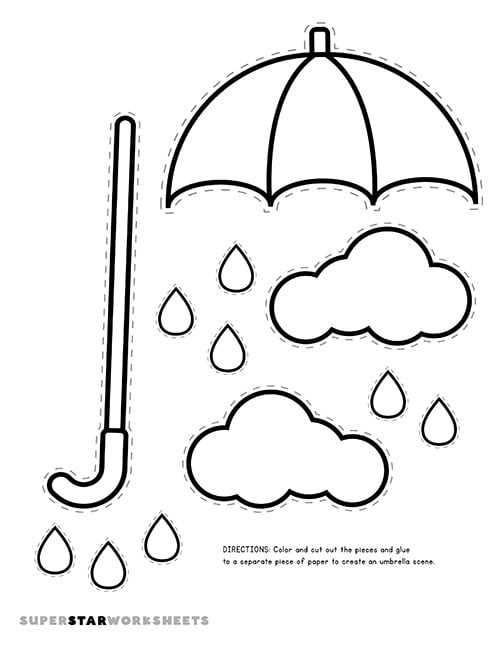
Start with simple templates that can be downloaded and printed directly from your computer. These designs can easily be resized to create the perfect shapes for different projects, whether you’re making cards, party favors, or decorations.
Choose the right paper to ensure your designs hold up well. For smaller items like invitations or tags, regular printer paper works fine, but for larger pieces or items you want to keep for a longer time, opt for thicker cardstock. This will help maintain durability and shape.
Personalize your pieces by adding unique touches. Once you’ve printed out your base design, use markers, stickers, or glitter to make them your own. Experiment with different colors or textures to create a more festive or themed look that suits your needs.
If you’re planning on using your designs for a group activity or classroom project, consider printing multiple copies of the same shape. This makes it easier for everyone to participate without needing to recreate the pattern each time.
Consider different sizes to accommodate various purposes. For instance, larger templates can be used as hanging decorations or centerpieces, while smaller ones are perfect for adding accents to party favors or gift wrapping.
Don’t forget to assemble the pieces correctly if your design involves folding or cutting. Carefully follow the guidelines of the printed templates to ensure a smooth final product. Once assembled, these creations can make great DIY gifts or event decor that’s both fun and practical.
Printable Umbrella Craft Guide
To start, choose a basic design that you can easily customize. For example, you can create a simple shape and add various patterns such as stripes, polka dots, or flowers. Use design software like Canva or Microsoft Word to adjust the elements and make them fit your desired style.
Once you’ve finalized the design, print it on sturdy paper or cardstock for durability. If you plan to fold or cut out shapes, thicker materials will hold up better. Be sure to adjust your printer settings to match the paper size and quality you are using to avoid misprints.
After printing, consider adding embellishments. You can use markers, sequins, or stickers to decorate your shapes further. If the design is for a specific occasion, like a party or celebration, match the colors and style to your theme for a cohesive look.
How to Design Your Own Printable Umbrella Templates
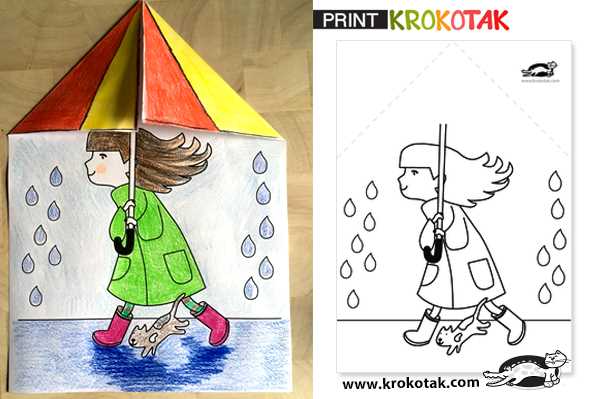
Begin by selecting the shape of your template. Use simple shapes like circles or half-circles for the main body, then add spokes or ribs extending from the center. This basic structure can be adjusted depending on the final look you desire–whether it’s a classic or a more whimsical design.
Next, choose a style or theme for your design. Consider patterns like polka dots, stripes, or chevron for a playful feel, or go for a minimalist approach with solid colors. Software like Adobe Illustrator or free tools like Canva can be used to create and adjust these patterns easily.
Once your base design is ready, it’s time to think about the colors. Use bright, bold colors for a festive design or muted tones for a more subtle look. Make sure the colors complement each other well, especially if you’re working with multiple layers or shapes within the design.
For additional detail, add elements like decorative borders, icons, or small illustrations. These can range from flowers and stars to themed shapes like hearts or clouds, depending on the occasion or purpose of your design. Placement of these elements is key, so balance is important.
If you plan to print the design in multiple sizes, adjust the resolution and dimensions accordingly. For larger prints, ensure the image is high-resolution so the details remain crisp. Test the size on paper before finalizing your template to ensure it prints clearly and as expected.
Finally, save your design in a format suitable for printing, such as PDF or PNG. This ensures compatibility with most printing devices and allows for easy access whenever you need to use the template again. Make sure to check the print preview before sending it to the printer to avoid any layout issues.