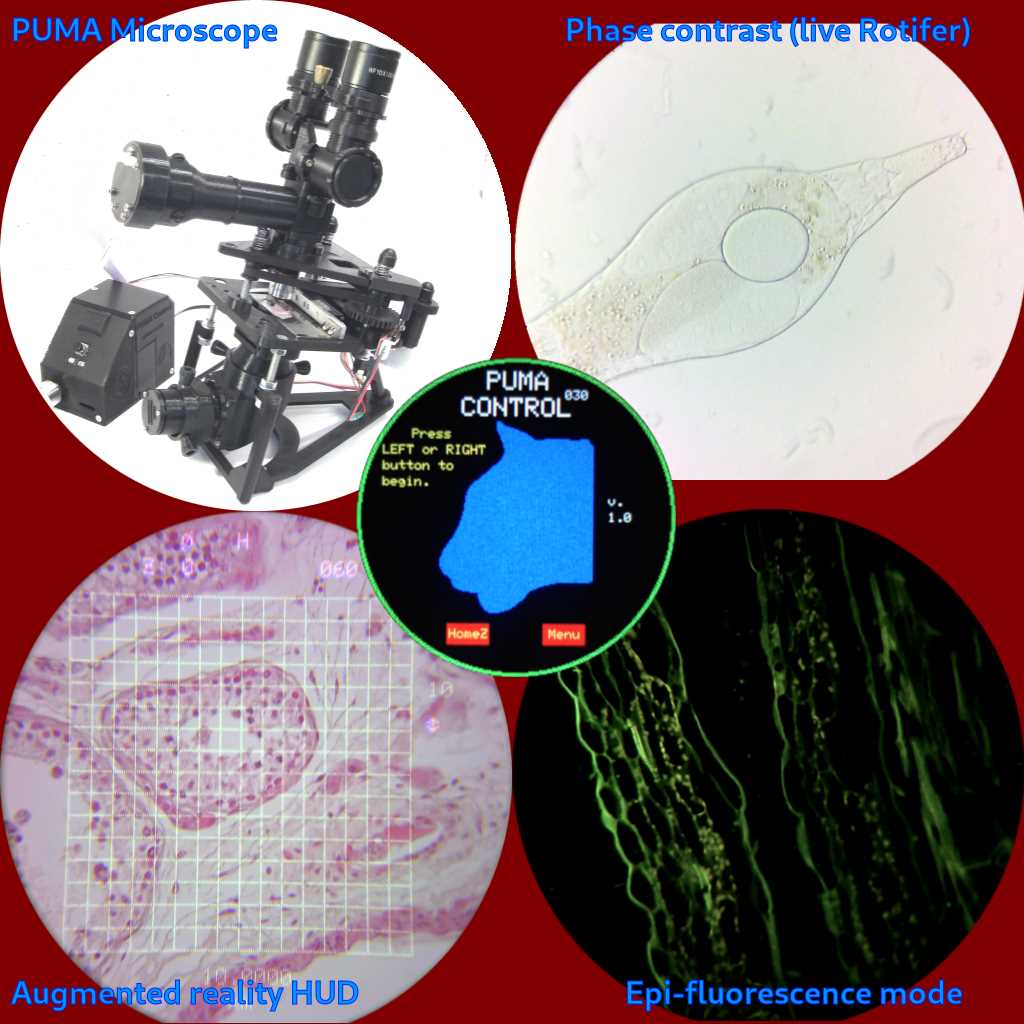
Start by choosing a reliable 3D modeling platform that supports precise and high-quality designs. Fusion 360 and Tinkercad are both user-friendly options that allow for easy manipulation of components. For beginners, Tinkercad’s simplicity might be more accessible, while Fusion 360 offers advanced tools for detailed designs.
Next, gather the components you’ll need to assemble the optical system. This includes lenses, a stand, and a frame to hold the lenses in place. You can either purchase lenses or print them using transparent filament. When designing the stand, ensure it provides stability and has adjustable features to accommodate different zoom levels or angles.
After finalizing your design, test the parts for precision before starting the print process. Printing large-scale parts may take time, so make sure your 3D printer is calibrated and ready to handle the material you plan to use. PLA filament is a common choice, but materials like ABS or PETG might provide added durability for structural elements.
Once your model is complete, you can assemble the parts, adjusting the lenses and ensuring the clarity of your optical system. By making incremental improvements to the design, you can build a functioning tool suited to your needs, whether for educational purposes or as a DIY project.
3D Printable Optical Instrument Guide
Begin by selecting a design file compatible with your 3D printer. Websites like Thingiverse and MyMiniFactory offer open-source models that can be downloaded and modified. Ensure that the design you choose fits your printer’s specifications, particularly in terms of the size of the build plate and the type of filament that is supported.
Focus on the structural components of your device first. The base, stand, and frame should be durable and provide a stable platform. Pay attention to the fit of the parts, as some models may require post-print adjustments. Printing small parts with higher detail, such as the focusing mechanism, may need fine-tuning in your printer settings.
Once the assembly is complete, check the alignment and positioning of any optical elements, such as lenses or mirrors. Test the device’s stability and adjust the lens positioning for focus. Some models may require extra components like screws or elastic bands to secure the parts in place. Make sure to calibrate your device and try different setups to achieve optimal clarity in your optical system.
Choosing the Right Materials for Your Optical Instrument
For the structural parts of your device, opt for durable and stable materials. PLA (Polylactic Acid) is a popular choice for the main frame, as it’s easy to print and offers good rigidity. If you need something stronger, consider ABS (Acrylonitrile Butadiene Styrene), which can withstand higher temperatures and provides added toughness.
For the smaller, intricate components like focusing mechanisms or lens holders, use materials with a higher precision. PETG (Polyethylene Terephthalate Glycol) is a reliable option due to its durability and flexibility. It can also withstand minor impact and is less prone to cracking compared to PLA. Ensure that the material can hold small parts together securely without risk of loosening over time.
Lastly, when selecting materials for any optical components or components exposed to light, consider the transparency. Clear resin is ideal for lenses and other optical elements, as it can be printed with high accuracy and optical clarity. If your printer supports it, you can experiment with transparent filaments, though they may require fine-tuning for best results in focusing light through them.